This tutorial will teach you how to generator autono using java mysql Autono generator is very important thing in the programming.we will teach you step by step.
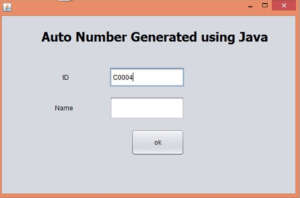
Creating a function autono() add the following code inside the function.i shown below.
 public void autoID()
    {
        try {
            Class.forName("com.mysql.jdbc.Driver");
            con = DriverManager.getConnection("jdbc:mysql://localhost/lob","root","");
            Statement s = con.createStatement();

            ResultSet rs = s.executeQuery("select Max(id) from customer");
            rs.next();

            rs.getString("Max(id)");


            if(rs.getString("Max(id)")==null)
            {

                txtno.setText("C0001");
            }
            else
            {
                Long id = Long.parseLong(rs.getString("Max(id)").substring(2,rs.getString("Max(id)").length()));
                id++;
                txtno.setText("C0" + String.format("%03d", id));
            }

        } catch (ClassNotFoundException ex) {

        } catch (SQLException ex) {

        }
    }
Call the function inside the constructor of class.
public autoIn() {
        initComponents();
        autoID();

    }
Insert the Records
after inserted the record autono generator itself.paste the code inside the add button.
       try {
            String no = txtno.getText();
            String name = txtname.getText();

            Class.forName("com.mysql.jdbc.Driver");
            con = DriverManager.getConnection("jdbc:mysql://localhost/lob","root","");
            pst = con.prepareStatement("insert into customer (id,name)values(?,?)");
            pst.setString(1, no);
            pst.setString(2, name);
            pst.executeUpdate();

            JOptionPane.showMessageDialog(this,"Record Addedd");

              autoID();

              txtname.setText("");
              txtname.requestFocus();

        } catch (ClassNotFoundException ex) {

        } catch (SQLException ex) {

        }
I have attached the video tutorial below it will help you to do this step by step.