Laravel is world famous php framework.it has various features.Laravel is a MVC architecture. In this tutorial will see how to make a website with crud operation contact form in Laravel 8.Laravel 8 – CRUD application tutorial with Example. Here is the Best Place to Learn Laravel 8 Articles.
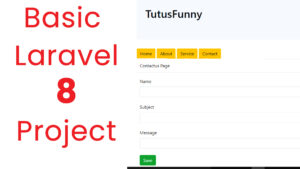
Lets do the Project Step by Step Laravel 8 From Scratch
First Step
In computer create the folder Laravel Projects.and open the folder. and type the address bar on cmd
Install Laravel 8
Create a new Project type the command on the command prompt . I create the project name basicweb
composer create-project --prefer-dist laravel/laravel basicweb
Change .env File
Change .env File for username, password and DB Name
After that run check the application the welcome screen of Laravel framework look like this.
DB_CONNECTION=mysql
DB_HOST=127.0.0.1
DB_PORT=3306
DB_DATABASE=basicweb
DB_USERNAME=root
DB_PASSWORD=
After that run check the application the welcome screen of Laravel framework look like this.
php artisan serve
Create Controller
Create the controller name which is WelcomeController
Create the controller name which is AboutController
Create the controller name which is ServiceController
Create the controller name which is ContactController
php artisan make:controller ContactController --resource
php artisan make:controller WelcomeController --resource
php artisan make:controller ServiceController –resource
php artisan make:controller AboutController –resource
Create Views
Create a Folder inside the resources-views
Create the following pages
welcome.blade.php
Service.blade.php
About.blade.php
Contact.blade.php
layout.blade.php
In Laravel you have create the pages using pagename.blade.php
Create page layout.blade.php
<!DOCTYPE html>
<html>
    <head>
    <link rel="stylesheet" href="https://stackpath.bootstrapcdn.com/bootstrap/4.1.3/css/bootstrap.min.css" integrity="sha384-MCw98/SFnGE8fJT3GXwEOngsV7Zt27NXFoaoApmYm81iuXoPkFOJwJ8ERdknLPMO" crossorigin="anonymous">
    <script src="https://code.jquery.com/jquery-3.3.1.slim.min.js" integrity="sha384-q8i/X+965DzO0rT7abK41JStQIAqVgRVzpbzo5smXKp4YfRvH+8abtTE1Pi6jizo" crossorigin="anonymous"></script>
    <script src="https://cdnjs.cloudflare.com/ajax/libs/popper.js/1.14.3/umd/popper.min.js" integrity="sha384-ZMP7rVo3mIykV+2+9J3UJ46jBk0WLaUAdn689aCwoqbBJiSnjAK/l8WvCWPIPm49" crossorigin="anonymous"></script>
    <script src="https://stackpath.bootstrapcdn.com/bootstrap/4.1.3/js/bootstrap.min.js" integrity="sha384-ChfqqxuZUCnJSK3+MXmPNIyE6ZbWh2IMqE241rYiqJxyMiZ6OW/JmZQ5stwEULTy" crossorigin="anonymous"></script>
    </head>
    <body>

        <div class="container">
        <div class="jumbotron">
                <h1>TutusFunny</h1>
           </div>
           <a href="{{ url('/') }}" class="btn btn-warning">Home</a>
           <a href="{{ url('/about') }}" class="btn btn-warning">About</a>
           <a href="{{ url('/service') }}" class="btn btn-warning">Service</a>
           <a href="{{ url('/contact/create') }}" class="btn btn-warning">Contact</a>
      </div>
               @yield('content')
    </br>
    <div class="card bg-light text-dark">
    <div class="card-body">Copyright 2021 tutusfunny.com</div>
   </div>

    </body>

<html>
welcome.blade.php
@extends("layout")

@section('content')

<div class="card">
  <div class="card-header">Welcome Page</div>
  <div class="card-body">This Welcome</div>

</div>


@stop
service.blade.php
@extends("layout")

@section('content')

<div class="card">
  <div class="card-header">Service Page</div>
  <div class="card-body">This Service</div>

</div>


@stop
about.blade.php
@extends("layout")

@section('content')

<div class="card">
  <div class="card-header">About Page</div>
  <div class="card-body">This About</div>

</div>


@stop
then do the Contact form along with the crud opertions
Create a Folder inside the resources-views
inside the views folder create the contacts folder

inside the folder create the following pages
create.blade.php
@extends("layout")
@section('content')

<div class="card">
  <div class="card-header">Contactus Page</div>
  <div class="card-body">

      <form action="{{ url('contact') }}" method="post">
        {!! csrf_field() !!}
        <label>Name</label></br>
        <input type="text" name="name" id="name" class="form-control"></br>
        <label>Subject</label></br>
        <input type="text" name="subject" id="subject" class="form-control"></br>
        <label>Message</label></br>
        <input type="text" name="message" id="message" class="form-control"></br>
        <input type="submit" value="Save" class="btn btn-success"></br>
    </form>

  </div>
</div>

@stop
index.blade.php
@extends("layout")
@section('content')

<div class="card">
  <div class="card-header">Contactus Page</div>
  <div class="card-body">
        @foreach($contacts as $contact)
        <h4>{{ $contact->name }}</h4>
        <h6>{{ $contact->subject }}</h6>
        <p>{{ $contact->message }}</p>
        <a href="{{ url('contact'). '/' .$contact->id}}" class="btn btn-info">View </a>
        <a href="{{ url('contact'). '/' .$contact->id. '/edit' }}" class="btn btn-info">Edit </a>
    </hr>
    @endforeach
  </div>
</div>

@stop
edit.blade.php
@extends("layout")
@section('content')

<div class="card">
  <div class="card-header">Contactus Page</div>
  <div class="card-body">

      <form action="{{ url('contact/' .$contact->id) }}" method="post">
        {!! csrf_field() !!}
        @method("PATCH")
        <input type="hidden" name="id" id="id" value="{{$contact->id}}" id="id" />
        <label>Name</label></br>
        <input type="text" name="name" id="name" value="{{$contact->name}}" class="form-control"></br>
        <label>Subject</label></br>
        <input type="text" name="subject" id="subject" value="{{$contact->subject}}" class="form-control"></br>
        <label>Message</label></br>
        <input type="text" name="message" id="message" value="{{$contact->message}}" class="form-control"></br>
        <input type="submit" value="Update" class="btn btn-success"></br>
    </form>

  </div>
</div>

@stop
show.blade.php
@extends("layout")
@section('content')

<div class="card">
  <div class="card-header">Contactus Page</div>
  <div class="card-body">

        <h4>{{ $contact->name }}</h4>
        <h6>{{ $contact->subject }}</h6>
        <p>{{ $contact->message }}</p>
        <a href="{{ url('contacts'). '/' .$contact->id}}" class="btn btn-info">View </a>

    </hr>

  </div>
</div>

@stop
thanks.blade.php
@extends("layout")
@section('content')

<div class="card">
        <div class="card-body">
            <h2>Thank you for Contact US</h2>
       </div>

  </div>
</div>

@stop
Controller
After that Pass All view pages through Controller. you have to add the Model namespace here
use App\Models\Contact; Data is coming from the database via Model.
<?php

namespace App\Http\Controllers;
use App\Models\Contact;
use Illuminate\Http\Request;

class ContactController extends Controller
{

    public function index()
    {
       $contacts = Contact::all();
       return view ('contact.index')->with('contacts', $contacts);
    }

    public function create()
    {
       return view('contact.create');
    }

    public function store(Request $request)
    {
       $input = $request->all();
       Contact::create($input);
       return view('contact.thanks');
    }


    public function show($id)
    {
       $contact = Contact::find($id);
       return view('contact.show')->with('contact', $contact);
    }


    public function edit($id)
    {
        $contact = Contact::find($id);
        return view('contact.edit')->with('contact', $contact);
    }


    public function update(Request $request, $id)
    {
        $contact = Contact::find($id);
        $input = $request->all();
        $contact->update($input);
        return view('contact.thanks');
    }


    public function destroy($id)
    {

    }
}
Routes
Pages are Manage through routes. If you are crud system simple you can add it the routes one line look like this
<?php

use Illuminate\Support\Facades\Route;
use App\Http\Controllers\WelcomeController;
use App\Http\Controllers\ServiceController;
use App\Http\Controllers\AboutController;
use App\Http\Controllers\ContactController;

Route::get('/', [WelcomeController::class, 'index']);
Route::get('/service', [ServiceController::class, 'index']);
Route::get('/about', [AboutController::class, 'index']);


Route::resource('/contact', ContactController::class);
Create Model
Model is used to get the data from the database.
Create the Model name which is Contact
php artisan make:model Contact
After Model is Created the look like this. Code inside Model Class (app\Models\)
<?php

namespace App\Models;

use Illuminate\Database\Eloquent\Factories\HasFactory;
use Illuminate\Database\Eloquent\Model;

class Contact extends Model
{
    protected $table = "contacts";
    protected $primarykey = "id";
    protected $fillable = ["name","subject","message"];
}
Create Migration
Create the tables
php artisan make:migration create_contacts_table
After that you can check the inside database folder migrations create_contacts_table.php
public function up()
    {
        Schema::create('contacts', function (Blueprint $table) {
            $table->id();
            $table->string('name');
            $table->string('subject');
            $table->string('message');
            $table->timestamps();
        });
    }
After add the lines type
php artisan migrate
i have attached the video link below. which will do this tutorials step by step.