Introduction to React Calculator
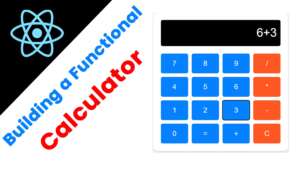
Creating a functional calculator in React is an excellent way to enhance your skills in this popular JavaScript library. This guide will walk you through the essential steps to build a simple yet effective calculator application.
Setting Up the Project
To start, you need to set up your React project. You can easily do this using Create React App with Vite. Open your terminal and run the
$ npm create vite@latest
Select as React from the following list and and install it.
App.jsx
import React, { useState } from "react";
import "./App.css";

const App = () => {
  const [display, setDisplay] = useState("");

  const handleClick = (value) => {
    if (value === "=") {
      try {
        setDisplay(eval(display).toString()); // Be cautious using eval in production
      } catch {
        setDisplay("Error");
      }
    } else if (value === "C") {
      setDisplay("");
    } else {
      setDisplay(display + value);
    }
  };

  const buttons = [
    "7", "8", "9", "/",
    "4", "5", "6", "*",
    "1", "2", "3", "-",
    "0", "=", "+",
    "C"
  ];

  return (
    <div className="calculator">
      <div className="display">{display || "0"}</div>
      <div className="buttons">
        {buttons.map((btn, index) => (
          <button key={index} onClick={() => handleClick(btn)}>
            {btn}
          </button>
        ))}
      </div>
    </div>
  );
};

export default App;
App.css
body {
  font-family: Arial, sans-serif;
  background: #f4f4f9;
  display: flex;
  justify-content: center;
  align-items: center;
  height: 100vh;
  margin: 0;
}

.calculator {
  background: #ffffff;
  border-radius: 12px;
  box-shadow: 0px 4px 10px rgba(0, 0, 0, 0.1);
  width: 320px;
  padding: 20px;
  -webkit-border-radius: 12px;
  -moz-border-radius: 12px;
  -ms-border-radius: 12px;
  -o-border-radius: 12px;
}

.display {
  background: #000000;
  color: #ffffff;
  font-size: 2rem;
  text-align: right;
  padding: 10px;
  margin-bottom: 20px;
  border-radius: 5px;
  min-height: 50px;
}

.buttons {
  display: grid;
  grid-template-columns: repeat(4, 1fr);
  gap: 10px;
}

button {
  background: rgb(3, 129, 255);
  color: white;
  border: none;
  border-radius: 5px;
  font-size: 1.2rem;
  padding: 15px;
  cursor: pointer;
  transition: 0.3s;
}

button:hover {
  background: #756eed;
}

button:nth-child(4n) {
  background: #ff5722;
}

button:nth-child(4n):hover {
  background: #e64a19;
}
I attached the Video Below.do the work while watching the Video