This article explain how to make a Inventory Management App in React.this app consist of two options GR and KG. Total will be calculated according the option user has selected.
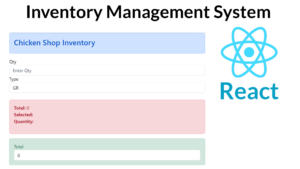
Install the React
npx create-react-app inventory-app
Create a Component folder inside the folder create the file ChickenShop.jsx.
ChickenShop.jsx
import { useState } from "react";

function ChickenShop() {
  const [selects, setSelects] = useState('GR');
  const [qty, setQty] = useState();

  function calculation() {

    if (!qty)
    {
       return 0;
    }
    else if(selects == "KG")
    {
      return (qty * 140) ;
    }
    else
    {
       return (qty /1000 * 140 );
    }
  }

  return (

    <div className="container">

      <div class="alert alert-primary" role="alert">
      <h3>Chicken Shop Inventory</h3>

    </div>


      <div className="form-group">
        <label>Qty</label>
        <input
          type="text"
          className="form-control"
          placeholder="Enter Qty"
          onChange={(event) => {setQty(event.target.value);}}
        />
      </div>

      <div className="form-group">
        <label>Type</label>
        <select
          className="form-control"
          value = {selects}
          onChange={(event) => {setSelects(event.target.value); }}>
          <option value="GR">GR</option>
          <option value="KG">KG</option>
        </select>
      </div>

      <br />

      <div class="alert alert-danger" role="alert">
      <p><b>Total:</b> {calculation()}<br/>
      <b>Selected: </b>  {selects}<br />
      <b> Quantity: </b> {qty}</p>
    </div>


    <div class="alert alert-success" role="alert">
    <label>Total</label>
    <input type="text" class="form-control" placeholder="Net Salary" value={calculation()} />
    </div>

    </div>
  );
}

export default ChickenShop;
i have attached the video link below. which will do this tutorials step by step.