This tutorial will teach you Jdbc Search step by step.
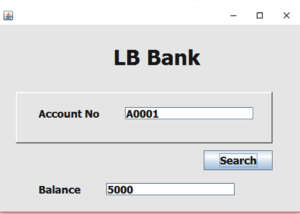
Establish the database connection
  Connection con;
    PreparedStatement pst;
    ResultSet rs;

    public void Connect()
    {
        try {
            Class.forName("org.postgresql.Driver");
             con = DriverManager.getConnection("jdbc:postgresql://localhost:5434/LBBank", "postgres", "123" );
        } catch (ClassNotFoundException ex) {
            Logger.getLogger(Account.class.getName()).log(Level.SEVERE, null, ex);
        } catch (SQLException ex) {
            Logger.getLogger(Account.class.getName()).log(Level.SEVERE, null, ex);
        }
    }
The System Shall be able to search the record by entering the relavent student id.paste the code inside the
search button.
String accno = txtAcc.getText();

        try {
            pst = con.prepareStatement("select * from account where accountno=?");
            pst.setString(1, accno);
                    rs = pst.executeQuery();

                    if(rs.next()==false)
                    {
                        JOptionPane.showMessageDialog(this,"Account not Found");
                    }
                    else
                    {
                        int balance = Integer.parseInt(rs.getString("balance"));


                        txtBal.setText(String.valueOf(balance));


                    }
        } catch (SQLException ex) {
            Logger.getLogger(Account.class.getName()).log(Level.SEVERE, null, ex);
        }
i have attached the video link below. which will do this tutorials step by step.