Up next in 10


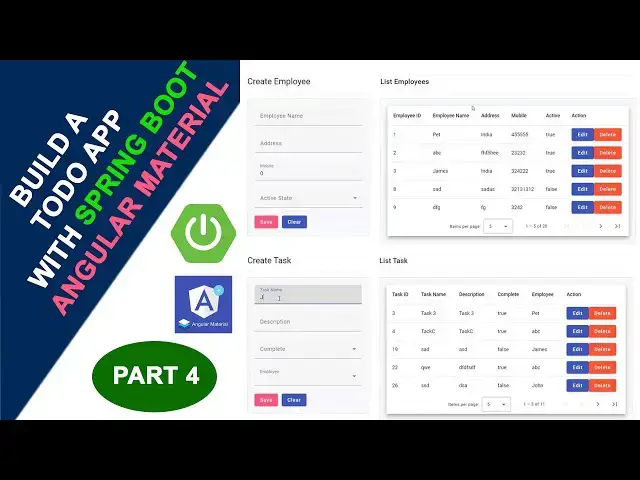
Build a Todo App with Spring Boot & Angular Material Part 4
#springboot #angularmaterial #todoapp #webdevelopment #javaprogramming #angular #fullstackdevelopment #springboottutorial #angulartutorial
Show More Show Less View Video Transcript
0:00
hi welcome back in our last video we run
0:05
the application and we have configured
0:07
the database and tables now let's back
0:10
to our controller
0:11
section now here we are we have to do
0:15
our cred relational operation all the
0:18
things are over here inside the
0:20
controller so
0:23
controller when the data is coming from
0:28
the front end it is it is coming why the
0:31
dto format it pass into the
0:34
controller a controller so
0:38
controller first we have to add The
0:41
annotation
0:45
rest controller these all things I
0:48
already explained second one second
0:50
addition is a
0:54
Crossen third
0:57
one reest
1:00
here where we have add the path so add
1:02
path
1:04
API
1:06
version this a URL
1:11
employee that's it that's the
1:14
thing right now what you're going to do
1:18
is we have
1:19
to create the method now we have to
1:22
create the method we have to create the
1:24
method which is a save method I'm going
1:26
to create the save method first you have
1:29
to to save the
1:31
records so first we have to implement
1:34
The annotation is a
1:36
post post mapping we already I discuss
1:40
about this all things post
1:44
mapping
1:45
path the path here write there this one
1:48
should
1:52
sa now here write the we have
1:56
to create the function which is a
2:01
public now we have to join two tables
2:04
and get the record and everything so
2:06
here we have to get this one the same
2:08
the employee this employee class we have
2:12
write
2:15
employee employee here have write save
2:19
you get the entity here this entity you
2:21
get here employee save save the data
2:25
save
2:26
save employee you write like this
2:30
employee so this one it ask import the
2:32
package you have to select this one all
2:35
on alt here it will be telling all plus
2:38
enter all plus enter it import the class
2:42
this class has been import to here we
2:45
have to create the method employee
2:48
save
2:50
employee here you have to
2:53
write
2:55
reest body
3:01
reest
3:04
body here
3:07
employee save D this one employee save
3:10
DET
3:14
employee Save
3:17
dto Right employee Save dto open and
3:21
close bracket right so when the data is
3:26
coming from the front end it is it is
3:29
coming
3:30
uh why the employee for dto format
3:34
employee save this it is coming
3:36
here right after
3:39
that the data is coming to the
3:42
controller controlling passing to a
3:45
service control passing to our service
3:50
so first you have ADD The annotation
3:56
Auto okay out write private
4:01
okay have to
4:03
write which one employee
4:12
service
4:14
service this
4:15
one you create the object employee
4:18
service that's it this one you write it
4:21
over here
4:24
return you write simply you write like
4:26
this employee service
4:31
Employee Service
4:34
dot we have to create inside the
4:36
employee service this employee service
4:38
class we have create the method add
4:41
employee you simply create
4:45
employee and employee what is the data
4:48
coming from the front
4:50
end it is coming
4:52
here the DT format save detail format is
4:56
coming here it passing to here you are
4:58
passing this one
5:01
copy and paste it over here it is
5:02
passing to here that's the thing you
5:05
have
5:06
write after that this method we have to
5:10
create on the add employee method we
5:12
have create on the employee service so
5:16
select click on this bulb symbol create
5:19
the method add the employee in Employee
5:22
Service you create click on this now
5:24
here it has been created
5:27
successfully it has been created
5:31
successfully now we have to go to
5:35
the employee service EMP this is the
5:38
interface this interface we have to this
5:41
is a implementation only so here we have
5:45
to go to the
5:47
class employee service we have to
5:54
implement implements which one which
5:57
class I'm going to uh interface I'm
6:00
going to this one Employee
6:02
Service employee
6:05
service that's it if you implement this
6:08
one but it show the error what is the
6:11
error is you click on this bulb symbol
6:13
it ask to implement the method there is
6:15
a method is there so you have to
6:18
implement it if you implement this
6:20
employee Employee Service you have to
6:23
implement this methods so Implement
6:25
methods add employee click on this
6:29
that's it that's the thing you have
6:32
WR now the record is coming
6:36
here it is passing to
6:38
the employee
6:41
IML the IML what you are going to do is
6:45
it is add the record in into the
6:48
database so we have to communicate with
6:50
the
6:51
repo now let's move to the repo employee
6:57
repo repo public this is the this is not
7:01
a class I accidentally created this is
7:04
not a class I just remove it right click
7:08
delete I accidentally create the class
7:10
so here we have to select the repo right
7:13
click new we have to create as a
7:16
interface you select
7:20
interface
7:21
employee
7:23
report say employee report which say
7:28
interface right
7:30
this
7:32
interface the interface we have to
7:36
extend we have a
7:39
jpa
7:43
repository which is a
7:47
jpa here what you going to do is you
7:50
have to give the first one is a your
7:54
entity which is a employee
7:59
and your ID your First Column which is a
8:02
primary key which is ID what's the data
8:04
typ data type your put it here which is
8:08
a long if it's a int you can put it as a
8:11
in if it's a string you have to put it
8:13
as a string this is a long so you have
8:16
to write it here long that's a simple
8:19
stuff right why you are putting here
8:23
entity we have to pass the entity class
8:26
in order to communicate with the
8:28
database we have the data will be
8:30
communicate bya the entity so that we
8:32
have to write entity the first data type
8:35
say ID what the data type you write law
8:39
the jpa repository it it is manage all
8:41
the database quaries here all on the
8:45
control click on this here the
8:48
save delete all the method should be
8:51
there get by all the things should be
8:55
there this jpa repository that's it
8:59
that's think you have to write it right
9:01
after that we have to go to the
9:04
service IML here you have to add The
9:08
annotation
9:10
service
9:12
right add The annotation
9:14
service that's it that's the thing you
9:17
have to write
9:18
it I hope you guys understood things
9:21
well I'll see you in my next lecture in
#Programming
#Java (Programming Language)
#Computer Education