Up next in 10


The Ultimate Free AI Tool for Programmers v0.app
#v0.app #v0.apptutorial #v0.appfree
Show More Show Less View Video Transcript
0:00
Hi friends, welcome to tutors funny
0:02
channel. Today I'm bringing the video of
0:06
VO app. This is the best AI tool which
0:11
is very help for those who are
0:14
interesting in the programming. So this
0:16
is not completely free but we have a
0:19
free uh option as well. So first you
0:22
click on it this option. Click on it
0:24
this one and it ask you
0:28
you can login via your Gmail ID. Okay.
0:31
After you loging you can get this
0:33
screen. Okay. This screen you will be
0:35
able to check. Okay. It offer only five
0:39
coins. Okay. The five coins mean that we
0:41
can ask the doubt until finish your
0:43
five. Okay. So per month. Okay. So free
0:47
personal use. Okay. If you're satisfied
0:50
you will be able to buy on this tool.
0:52
But this tool there are most of the
0:53
companies are using for writing the
0:55
codes. Okay. So here you will be able to
1:00
complete the entire project of the
1:03
software also you can generate here.
1:05
This one should be the sales form with
1:07
tailwind. So here there is a tailwind
1:11
tailwind form I I have generated. Okay
1:13
though here using so I'm going to go to
1:15
the new chat.
1:18
So here you can see
1:21
simply I'm going to act as a Java
1:23
developer.
1:28
I need to add I need you to add two
1:33
numbers.
1:36
Okay. So here you can see I need act as
1:40
a Java developer. I need to add the two
1:43
numbers using console application. You
1:46
have to specify you can tell tell the
1:50
tell to the AI tool properly console
1:52
application
1:54
then only the according to the prompt it
1:57
will be generated. Okay. So click it.
2:00
Now you can here you can see first it is
2:03
thinking. Okay. The user asked here
2:06
everything it will be uh doing here.
2:11
Okay here you can hear it is
2:12
implemented. You have to wait until okay
2:14
it's doing simple here. uh 2 seconds.
2:19
Okay. So here
2:22
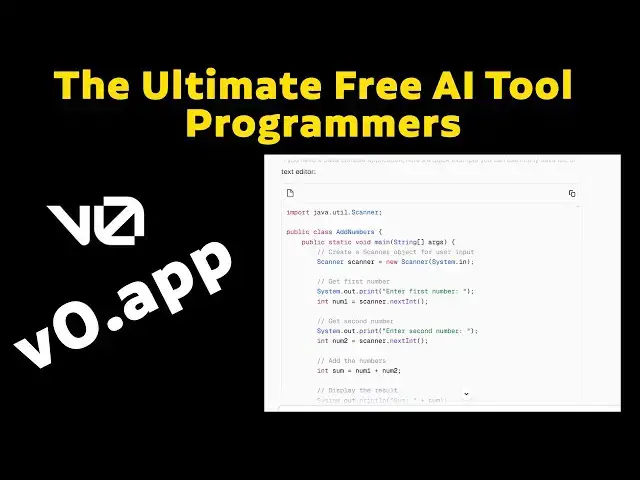
itself it generate the output. It it
2:24
generate the output. You can see here
2:26
simply we return the scanner class. This
2:30
is a class which name is add number.
2:32
Here it's it is clearly it's mentioned
2:35
line by line. First you have to create
2:37
the scanner object for the user input.
2:40
After that first first number you have
2:42
to enter the first number and second
2:44
number. After that you'll be able to
2:46
hear the first number. What's the first
2:48
number you enter? It assigned to the
2:50
number one. What the second number you
2:52
assign? It assigns the number two. After
2:55
that number one, number two both are
2:56
calculated and assigned to sum and it is
2:59
calculated and display the total. Okay.
3:01
Thank you for watching.
#Programming
#Java (Programming Language)
#Development Tools