This tutorial will teach you Student Marks Calculation Project Java in IntelliJ IDEA.This example help will you to study Java Gui application development step by step.
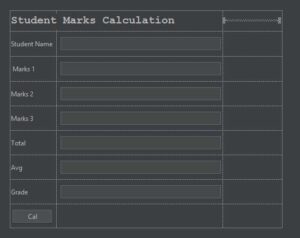
Design View
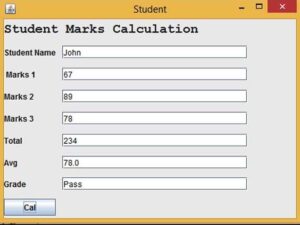
Paste the Following Code inside the Cal Button Event
    int m1,m2,m3,tot;
    double avg;

     m1 = Integer.parseInt(txtMarks1.getText());
     m2 = Integer.parseInt(txtMarks2.getText());
     m3 = Integer.parseInt(txtMarks3.getText());

     tot = m1 + m2 + m3;

     txtTotal.setText(String.valueOf(tot));

     avg = tot/3;

     txtAvg.setText(String.valueOf(avg));

     if(avg > 50)
       {
           txtGrade.setText("Pass");
       }
     else
       {
           txtGrade.setText("Fail");
       }
     }
I have attached the video tutorial below it will help you to do this step by step.